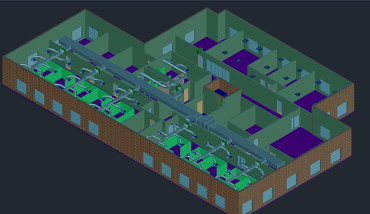
3DS MAX SOFTWARE
- Create models
- Generate animation
- Practice character poly modeling
- Work on materials
- Define textures and UV workflow
- Illustrate character studio skills, including rigging and animating
- Apply lighting effects
- Perform rendering and HDRI
- Overview
- Visualization Workflow
- The Autodesk 3ds Max Design Interface
- Preferences
- Setting the Project Folder
- Configure Paths
- Display Drivers
- Viewport Display and Labels
- Viewport Configuration
- Viewport Navigation
- Object Selection Methods
- Units Setup
- Layer and Object Properties
- Model with Primitives
- Applying Transforms
- Sub-Object Mode
- Reference Coordinate Systems and Transform Centres
- Cloning and Grouping
- Poly Modelling with Graphite Tools
- Statistics in Viewport
- 3D Modelling from 2D Objects
- Drawing 2D Lines
- The Lathe Modifier
- The Extrude Modifier
- Boolean Operations The Sweep Modifier
- Using Snaps for Precision
- Data Linking and Importing
- DWG Link and Import Options
- Importing and Linking Models from Autodesk Revit
- Introduction to Materials
- Understanding Maps and Materials
- Managing Materials
- Standard Materials
- Material Shaders
- Assigning Maps to Materials
- Opacity, Bump, and Reflection Mapping
- mental ray Materials
- The Material Explorer
- Mapping Coordinates
- Mapping Scale
- Spline Mapping
- Local vs. Global Illumination
- Fundamentals of Standard Lighting
- Types of Standard Lights
- Shadow Types
- Photometric Light Objects
- Exposure Control
- Daytime Lighting
- Fundamentals of mental ray
- mental ray Interior Rendering
- Controlling mental ray Quality
- mental ray Proxies
- Cameras
- Background Images
- The Print Size Wizard
- Iterative Rendering
- Single vs. Double-Sided Rendering
- Rendering Options
- Rendering Presets
- Animation Controls
- Walkthrough Animation
- Animation Output